Calendar Blocking vs Time Blocking: What's Actually Different (and What's the Same)
Productivity guides often present "calendar blocking" and "time blocking" as two different methods. Cal Newport — the person most associated with the practice — uses them interchangeably. Here's what these terms actually refer to, where the real distinctions sit, and how to choose a variant.
Search for "calendar blocking vs time blocking" and you'll get a steady stream of productivity-blog posts treating them as two different methods. Cal Newport, whose Deep Work and 2013 blog post defined the modern version of the practice, never distinguishes them — and neither do Todoist or Asana in their published guides. The terms are functionally synonymous. Where real distinctions exist is between time blocking and a small set of related-but-different methods: time boxing, task batching, day theming, and the Pomodoro Technique.
This post does two things: clarifies that "calendar blocking vs time blocking" is mostly an emphasis difference, then maps the methods that are genuinely different so you can pick the right one for your situation.
What "Calendar Blocking" and "Time Blocking" Both Refer To
The practice that gets called both names was popularized most influentially by Cal Newport's 2013 blog post "Deep Habits: The Importance of Planning Every Minute of Your Work Day." Newport's operational mechanics are concrete:
- Spend 10–20 minutes each evening (or the start of the work day) preparing the next day's schedule.
- Divide the day into hour-level blocks, and assign each block a specific task. Newport prefers paper (a Black n' Red twin-wire notebook), but the practice works in any digital calendar.
- Use two lines per hour, subdividing into smaller blocks when needed. Notes go in the right column.
- Leave buffer space next to the time blocks — reality will not match the plan exactly, and the buffer is where you re-route when it doesn't.
Newport's framing of why the practice matters is unapologetically strict, from the same blog post:
"In the context of work, uncontrolled time makes me uncomfortable. If you're serious about working deeply and producing high-end value, it should probably make you uncomfortable as well."
The practice gets expanded across Newport's later work: Deep Work: Rules for Focused Success in a Distracted World (Grand Central, 2016), A World Without Email: Reimagining Work in an Age of Communication Overload (Portfolio, 2021), and the physical Time-Block Planner product (Portfolio, first edition 2020; second edition 2023). Throughout, Newport uses the term "time blocking." He does not use "calendar blocking" as a separate concept.
The Subtle Distinction (When It Actually Matters)
The popular productivity-tool company blogs follow Newport's usage. Todoist and Asana both treat "calendar blocking" and "time blocking" as interchangeable — neither defines them as separate methods. The soft distinction you'll find in secondary productivity guides and SEO content is an emphasis difference, not a method difference:
| Axis | Time blocking (broader emphasis) | Calendar blocking (digital-tool emphasis) |
|---|---|---|
| Granularity | Chunks of time (e.g., "morning = deep work") | Specific calendar slots ("9:00–11:00 = X report") |
| Medium | Paper, mental allocation, or digital | Digital calendar explicit |
| Pre-assignment | Category-level | Specific task-level |
| Visibility | Often private | Visible to teammates sharing the calendar |
The difference is somewhere around 5–10% — two points on the same spectrum, ranging from looser category-level chunks to stricter calendar-slot assignment. The same person can use both in the same day: a broad "deep work" chunk in the morning, with specific slot assignments inside that chunk.
If the distinction matters anywhere, it's in shared-calendar contexts: when teammates can see your calendar, "calendar blocking" with specific slots is a stronger signal that the time is taken. For solo work, mental allocation in any time-blocking style usually does the same job.
Related Methods Often Confused with Time Blocking
Four methods get conflated with time blocking, but they operate differently.
Time boxing — sets a hard deadline per task. You write a report in 90 minutes, full stop; when the timer ends, you stop adding to it. Time blocking is a recommended time window; time boxing is enforced. Time boxing is the better choice when perfectionism is slowing you down or when small tasks tend to expand. The Pomodoro Technique — Francesco Cirillo's method developed in 1987 and formalized in the late 1990s — is the most common time-boxing implementation: 25 minutes of single-task work, 5 minutes of break, repeated. When the 25 minutes ends, you stop. The cognitive mechanism behind Pomodoro is in our post on the science behind the Pomodoro Technique.
Task batching — groups similar tasks into a single block, so you stay in one cognitive mode rather than switching. Email replies, Slack cleanup, and admin tasks naturally batch together (all "shallow work, language processing, low working-memory load"). Task batching is a subset of blocking — you fill a block with a batch — and works because of the task-switching costs documented in Rubinstein, Meyer & Evans 2001.
Day theming — assigns an entire day to one type of work. Jack Dorsey is the canonical example: when he ran both Twitter and Square, he themed his weekdays — Monday for management, Tuesday for product, Wednesday for marketing, and so on. Each day was dedicated to a single mode of attention. Day theming is the most aggressive form of batching: the only context switches happen at the day boundary. It works best for people running multiple projects with clearly separable cognitive modes.
A simplified mental map:
- Granularity: Pomodoro (25 min) → time blocking (1–3 hour block) → day theming (whole day).
- Strictness: time blocking (recommended) → time boxing (enforced deadline).
- Grouping: single task → task batching (similar tasks) → day theming (whole-day single theme).
These four methods are distinct from time blocking but compatible with it. A typical workday can layer them: time block the morning, fill the first block with Pomodoro cycles, batch shallow tasks into one afternoon block.
Why the Practice Works (the Cognitive Science Base)
Time blocking is not a productivity buzzword — it's a schedule-level response to four documented cognitive costs.
1. Task-switching cost — Rubinstein, Meyer & Evans 2001. In the Journal of Experimental Psychology: Human Perception and Performance 27(4):763–797, the authors documented a clean abstract finding across four experiments: "Task alternation yielded switching-time costs that increased with rule complexity but decreased with task cuing." Every switch carries a cost; that cost grows with task complexity; and the cost shrinks when the brain knows in advance what the next task will be. Time blocking is a strong form of task cuing — the block tells your brain "next: X" before you arrive at the block.
2. Attention residue — Leroy 2009. In Organizational Behavior and Human Decision Processes 109(2):168–181, Sophie Leroy showed that when attention switches from Task A to Task B before A is mentally complete, a residue of attention stays bound to A and degrades performance on B. The residue is largest when Task A is left unfinished — exactly what an interruption produces. Time blocking reserves enough time for each task to actually reach a stopping point, which minimizes the residue.
3. Speed compensation paid in stress — Mark, Gudith & Klocke 2008 CHI. In The Cost of Interrupted Work: More Speed and Stress (CHI '08), Mark and colleagues found that interrupted participants completed their tasks faster than uninterrupted ones — but the abstract reports the price: "people compensate for interruptions by working faster, but this comes at a price: experiencing more stress, higher frustration, time pressure and effort." Interrupt-heavy environments do not always look unproductive in the short run; they accumulate as the chronic exhaustion that defines a "busy" week.
4. Modern interruption baseline — Microsoft 2025. Microsoft's 2025 Work Trend Index (31,000 knowledge workers, 31 markets, surveyed February 6 – March 24, 2025) measured the modern interruption baseline: "Employees are interrupted every 2 minutes during core work hours — 275 times a day — by meetings, emails, or chats." In that environment, blocks are not default behavior — they are a deliberate protection. The opposing default is an open calendar that fills with whatever lands first.
Newport himself claims that practitioners "accomplish roughly twice as much work per week" with time blocking versus a reactive default. That's a practitioner observation from his blog, not a controlled study — there are no peer-reviewed RCTs comparing time-blocked workdays against open workdays specifically. The cognitive cost mechanism above is well-established; the quantitative gain is anecdotal. The widely repeated "80% productivity boost" figure that floats around productivity SaaS marketing has no peer-reviewed source, similar to other interview-attributed productivity statistics that look like research but aren't.
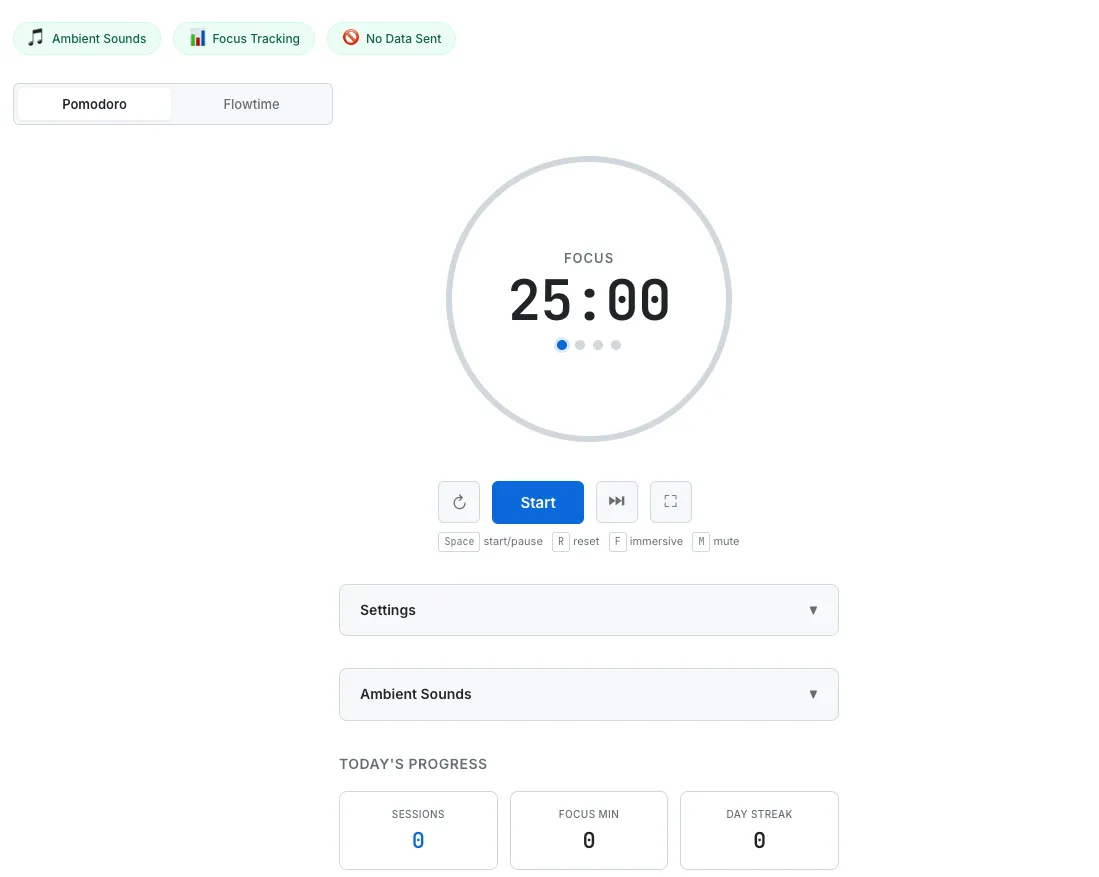
SudoTool's Pomodoro Timer — 25-minute time-boxed cycles that nest inside calendar-blocked work sessions.
Decision Framework: Which Variant for Which Situation
The recommendations below are practical pattern matches, not empirically tested matchings — no peer-reviewed study has compared the variants head-to-head. They reflect the cognitive cost mechanisms above, mapped to common situational profiles:
| Situation | Recommended method | Why |
|---|---|---|
| High calendar autonomy + complex work + deep focus required | Calendar blocking (specific slots, planned daily) | Specific slots protect against meeting collisions and signal "this time is taken" to collaborators. Newport's full practice. |
| Routine work + simple, repeating schedule | Time blocking at category level (weekly templates) | Granularity beyond categories adds no value when tasks repeat. The daily re-plan cost can be skipped. |
| Tight deadline + perfectionism risk | Time boxing (Pomodoro or otherwise) | Hard deadline forces a stop before over-engineering. Parkinson's-law countermeasure. |
| Many small similar tasks (email, admin, shallow work) | Task batching | Pays the context-switch cost once, not per task. |
| Multiple projects or roles in parallel | Day theming | The largest possible batching — switches happen at the day boundary, not within. |
| Solo focused 1–2 hour sessions | Pomodoro (four cycles) | Breaks a 100-minute block into 25-minute startable chunks. |
The methods stack. A common working layer: calendar block the morning for deep work; fill that block with Pomodoro cycles; batch shallow tasks into a single afternoon block; day-theme certain weekdays if you have multiple parallel projects. No single method is universal.
How to Start: A 4-Step Practical Guide
1. Write tomorrow's top three priorities. Take five minutes at the end of today (or first thing tomorrow) to list the three tasks that actually matter. Three is the cap. More than three and the priority signal disappears.
2. Estimate time for each — then multiply by 1.5 or 2. Initial time estimates are usually optimistic (the planning fallacy is well-documented in cognitive psychology). What feels like a one-hour task is closer to ninety minutes or two hours once you include context-loading, interruption recovery, and the half-finished decisions you didn't see at the start.
3. Block the time on your calendar. Pick the slots deliberately. Microsoft's 2025 data identifies 9–11 am and 1–3 pm as both "natural productivity spikes" due to circadian rhythms and the windows where 50% of meetings land. That creates a real trade-off: put your hardest work in the cognitive-peak window (and decline meetings there), or put it in a low-meeting-density window (7:30–9 am, 11 am–12:30 pm, 3–4:30 pm depending on the company). Add 30 minutes of pre-block buffer and 15 minutes of post-block buffer to absorb reality.
4. Protect the block with default-no responses. Mute Slack and Teams notifications during the block. Decline meeting requests inside the block window unless they're genuinely urgent (most are not). Put the phone in another room or in Do Not Disturb. Meetings in particular are the largest single cost to a planned block — six people in a one-hour meeting consumes six hours of direct cost plus context-switch overhead on both sides. Run the precise number for your team with the meeting cost calculator; the deeper case is in our true cost of meetings post. The single-task discipline that time blocking enables connects directly to the broader case we made in our multitasking myth post — most workers aren't supertaskers, and the brain's serial-switching mechanism makes blocked time more productive than fragmented time.
If 90 unbroken minutes is too long to sustain at first, decompose the block: four Pomodoro cycles (25 minutes work, 5 minutes break) fit naturally inside a 100-minute window. Twenty-five minutes is short enough to start without dread and long enough to fully load working memory once you're in.
Time blocking does not survive on its own merit — it survives because you defend it. The defense is a calendar block, a notification mute, and a small set of decision rules applied honestly. The science covered above is the case for paying that small cost, every working day, in exchange for the cognitive output that fragmented time destroys.
This is a general productivity guide, not personalized medical, educational, or workplace advice. The empirical research cited (Rubinstein, Meyer & Evans 2001; Leroy 2009; Mark, Gudith & Klocke 2008; Microsoft Work Trend Index 2025) reflects specific samples and contexts. ADHD, learning differences, and certain clinical conditions can produce different mechanisms than the standard task-switching cost picture; an evaluation by a licensed professional is the appropriate next step for those contexts. Newport's "twice as much work per week" claim is a practitioner self-report from his blog, not a controlled study result; no peer-reviewed RCT has compared time-blocked workdays head-to-head against reactive defaults.
- Newport, Cal (2013). Deep Habits: The Importance of Planning Every Minute of Your Work Day. calnewport.com.
- Newport, Cal. The Time Blocking Revolution Begins. calnewport.com.
- Newport, Cal (2016). Deep Work: Rules for Focused Success in a Distracted World. Grand Central Publishing.
- Newport, Cal (2021). A World Without Email: Reimagining Work in an Age of Communication Overload. Portfolio/Penguin.
- Newport, Cal (2020 / 2nd ed. 2023). The Time-Block Planner: A Daily Method for Deep Work in a Distracted World. Portfolio.
- Cirillo, Francesco. The Pomodoro Technique (developed 1987, formalized late 1990s).
- Rubinstein, J.S., Meyer, D.E., & Evans, J.E. (2001). Executive control of cognitive processes in task switching. Journal of Experimental Psychology: Human Perception and Performance 27(4):763–797. APA PDF: apa.org/pubs/journals/releases/xhp274763.pdf.
- Leroy, S. (2009). Why is it so hard to do my work? The challenge of attention residue when switching between work tasks. Organizational Behavior and Human Decision Processes 109(2):168–181. sciencedirect.com.
- Mark, G., Gudith, D., & Klocke, U. (2008). The cost of interrupted work: more speed and stress. CHI '08: Proceedings of the SIGCHI Conference on Human Factors in Computing Systems, ACM, pp. 107–110. UCI host PDF: ics.uci.edu/~gmark/chi08-mark.pdf.
- Microsoft Work Lab (2025). Breaking down the infinite workday. Work Trend Index 2025 Special Report (31,000 knowledge workers, 31 markets, Feb–March 2025).