QR Codes Explained: How They Work and Why They're Everywhere
Those small black-and-white squares hold more than you think — here's the complete guide to how QR codes work, where they came from, and how to use them safely.
By 2026, an estimated 102.6 million people in the United States alone will scan QR codes with their smartphones. The global QR code market has grown to $13 billion as of 2025. From restaurant menus to mobile payments to airplane boarding passes — QR codes have become part of daily life.
Yet despite scanning them almost every day, most people have no idea how those small black-and-white squares actually work. More importantly, QR code phishing attacks — known as "quishing" — surged 587% in 2023, making it more critical than ever to understand what you're actually scanning.
This guide covers everything you need to know about how QR codes work — from their invention in a Japanese car factory to the technical structure inside every code, error correction, real-world applications, and how to protect yourself from QR code scams.
How QR Codes Work: The Story Behind Those Black-and-White Squares
QR stands for "Quick Response" — a name that reflects the code's original design goal of high-speed reading. A QR code is a two-dimensional matrix barcode invented in 1994 by Masahiro Hara, an engineer at DENSO WAVE (a subsidiary of DENSO Corporation, part of the Toyota Group). Hara and one colleague developed the system over approximately two years.
Born from a Board Game
At the time, Japanese automotive factories used standard 1D barcodes to track parts. But those barcodes could only hold about 20 alphanumeric characters. Factory workers were scanning up to 1,000 barcodes per day, and they needed a code that could handle Kanji and Kana characters in addition to standard alphanumeric data.
During a lunchtime game of Go — the Japanese board game — Hara noticed that the black-and-white stones arranged on a grid suggested a way to encode data in two dimensions instead of a single line. That insight became the foundation for the QR code.
1:1:3:1:1 — A Ratio Found Nowhere Else in Print
The most distinctive feature of a QR code is the three large square patterns in its corners, called Finder Patterns. Hara's team needed scanners to detect QR codes instantly against any background, so they searched for a unique black-to-white ratio that didn't appear anywhere in existing printed materials. After months of analyzing magazines, newspapers, books, and periodicals from around the world, they settled on the ratio 1:1:3:1:1. This unique pattern allows scanners to identify a QR code from any angle — 360 degrees of readability.
The Decision That Changed Everything
DENSO WAVE held the patent for QR codes but made a critical decision: they chose not to exercise their patent rights. Anyone could use QR codes for free. This open policy was the single biggest factor behind QR codes' global adoption. The technology was approved as an AIM standard in 1997, a JIS (Japan Industrial Standard) in 1999, and an ISO/IEC 18004 international standard in 2000.
QR Code vs Barcode: Why Two Dimensions Beat One
The fastest way to understand QR codes is to compare them with traditional barcodes.
| Feature | Traditional Barcode (1D) | QR Code (2D) |
|---|---|---|
| Dimensions | One-dimensional (horizontal lines) | Two-dimensional (grid of squares) |
| Data capacity | 20–25 characters | Up to 7,089 numeric characters |
| Data types | Numbers only (typically) | Numbers, text, URLs, binary, Kanji |
| Scan direction | Horizontal alignment required | Any direction (360°) |
| Scanner required | Dedicated laser scanner | Any smartphone camera |
| Error correction | None | Up to 30% damage recovery |
| Damage tolerance | Fails if damaged | Still scannable when partially damaged |
| Physical size | Relatively large for data stored | Up to 10× smaller for same data |
The core difference is data capacity. A barcode is fine for looking up a product ID at a supermarket checkout, but storing a URL, Wi-Fi credentials, or contact information requires a QR code. QR codes can hold over 100 times more data than a standard barcode.
That said, barcodes are still preferred in some environments. High-volume retail scanning, standardized warehouse labeling, and systems that only need a simple product ID number still rely on barcodes because of established infrastructure and lower integration costs.
Inside a QR Code: How the Technical Magic Works
Look closely at a QR code and the black-and-white squares appear random. They're not. Every module is placed according to a precise specification defined in the ISO/IEC 18004 standard.
The 7 Core Components
1. Finder Patterns. Three identical 7×7-module squares at the top-left, top-right, and bottom-left corners. Built with the unique 1:1:3:1:1 ratio, they let scanners detect the code's position, size, and orientation instantly. Why only three? The empty fourth corner tells the scanner which way is up.
2. Alignment Patterns. Smaller 5×5-module concentric squares that appear in Version 2 and larger QR codes. They correct for distortion when the code is printed on a curved surface or photographed at an angle.
3. Timing Patterns. Alternating black-and-white modules running horizontally and vertically between the Finder Patterns. They help the scanner determine the width of individual modules and establish the coordinate system for the data grid.
4. Format Information. A 15-bit sequence stored adjacent to the Finder Patterns, encoding the error correction level (2 bits) and the data mask pattern (3 bits).
5. Version Information. An 18-bit sequence present only in Version 7 and above, encoding the QR code's version number.
6. Data and Error Correction Modules. All remaining modules carry the actual data payload plus Reed-Solomon error correction codewords. Data is arranged in a distinctive zigzag pattern reading from the bottom-right upward.
7. Quiet Zone. A mandatory 4-module-wide white border surrounding the entire code. This blank margin helps scanners distinguish the QR code from surrounding imagery.
4 Encoding Modes
QR codes choose the most efficient encoding based on the type of data being stored.
| Mode | Characters Supported | Max Capacity (Version 40, Level L) |
|---|---|---|
| Numeric | 0–9 | 7,089 characters |
| Alphanumeric | 0–9, A–Z, space, $ % * + - . / : | 4,296 characters |
| Byte | 8-bit data (UTF-8) | 2,953 bytes |
| Kanji | Shift JIS double-byte characters | 1,817 characters |
Numeric mode is the most space-efficient at 3.33 bits per character. Alphanumeric uses 5.5 bits per character. Byte mode uses 8 bits per character. Most URLs are encoded in Byte mode, while phone numbers use Numeric mode.
Versions 1 Through 40
The ISO/IEC 18004 standard defines 40 versions of QR codes. Version 1 is the smallest at 21×21 modules (holding up to 41 numeric characters). Version 40 is the largest at 177×177 modules. Each version increment adds 4 modules per side — the formula is (4N + 17) × (4N + 17) modules, where N is the version number. More data requires a higher version, which produces a denser, larger code.
Error Correction: Why Damaged QR Codes Still Work
One of the most remarkable features of QR codes is that they can still be scanned even when parts of the code are damaged or obscured. This is possible thanks to the Reed-Solomon error correction algorithm.
4 Error Correction Levels
| Level | Recovery Capacity | Best For |
|---|---|---|
| L (Low) | ~7% of data recoverable | Maximum data capacity in clean environments |
| M (Medium) | ~15% of data recoverable | General-purpose use (default) |
| Q (Quartile) | ~25% of data recoverable | Industrial environments with moderate damage risk |
| H (High) | ~30% of data recoverable | Harsh environments or QR codes with logos |
Higher error correction means more modules are dedicated to recovery data, so the same version holds less actual data. It's a trade-off between capacity and durability.
The Secret Behind QR Codes with Logos
You've probably seen QR codes with a brand logo placed in the center. This works because of Level H error correction — up to 30% of the code can be obscured and the remaining modules still contain enough data to reconstruct the full message.
The SudoTool QR Code Generator uses this principle. When you upload a logo, the tool automatically sets the error correction level to H, ensuring the code remains reliably scannable. You can also choose from 6 dot styles and 3 corner styles to create a QR code that matches your brand.
QR Codes in Everyday Life: Where You Already Use Them
QR codes have expanded far beyond their original purpose of tracking car parts. They've penetrated nearly every industry.
Mobile payments. Over 90% of mobile payments in China are QR-code-based, dominated by Alipay (~54% market share) and WeChat Pay (~40%). The global QR code payment market reached $14.7 billion in 2024 and is projected to hit $8 trillion in total transaction value by 2029 (Juniper Research). In India, 9 million merchants accept QR code payments through UPI.
Restaurant menus. The COVID-19 pandemic was the single biggest catalyst for mainstream QR code adoption. To eliminate shared physical menus, approximately 75% of full-service restaurants in the United States adopted QR code menus. Many have kept them post-pandemic for their convenience and cost savings.
Marketing and advertising. According to QR TIGER's platform data, QR code scans for marketing purposes rose 323% in 2023. Products with QR-connected packaging have seen scan rates of up to 14%, according to connected-packaging firm Appetite Creative.
Healthcare. COVID-19 vaccination certificates used QR codes globally — the EU Digital COVID Certificate, U.S. SMART Health Cards, and others. The WHO has encouraged vaccine manufacturers to embed QR codes on secondary packaging for traceability.
Two-factor authentication. Scanning a QR code to set up an authenticator app (Google Authenticator, Authy, etc.) has become standard practice. WhatsApp Web, Telegram Web, and similar services use QR codes for device-to-device login. NIST SP 800-63B recognizes QR codes as a valid mechanism for transferring secrets in out-of-band authentication.
Event ticketing. Digital QR code tickets enable fast contactless entry scanning. Airlines use QR codes on mobile boarding passes, eliminating the need for printed tickets.
Manufacturing and logistics. The original use case lives on. QR codes track parts, manage inventory in real time, and provide full supply-chain traceability from origin to sale.
Wi-Fi sharing. A QR code can encode a Wi-Fi network name, password, and encryption type. Scan once and connect — no manual password entry required.
EU Digital Product Passport (2027+). This is the most significant emerging trend. The EU is mandating QR-code-based digital product passports starting with batteries in February 2027. Textiles and electronics will follow, eventually covering nearly all consumer product categories. For any product sold in the EU, QR codes are becoming a legal requirement.
Are QR Codes Safe? The Rise of "Quishing" and How to Protect Yourself
The convenience of QR codes comes with a dark side. Attackers are increasingly embedding malicious URLs inside QR codes to redirect victims to fake login pages, malware downloads, or data-harvesting sites. This type of phishing attack is called "quishing" — QR code phishing.
The Numbers Are Alarming
Quishing incidents surged 587% in 2023. In the second half of 2025, Kaspersky reported an additional fivefold increase, with phishing email detections containing malicious QR codes jumping from 46,969 in August to 249,723 in November. According to KeepNet Labs, 26% of all malicious links are now delivered via QR codes. Data from the Egress Phishing Threat Trends Report shows QR code payloads in phishing emails jumped from 0.8% in 2021 to 12.4% in 2023.
What makes quishing especially dangerous is the detection gap. In a Hoxhunt benchmark study of nearly 600,000 employees across 38 organizations, only 36% of recipients correctly identified and reported a simulated QR code phishing attack. Traditional email security filters scan text links and attachments — but a malicious URL hidden inside a QR code image can slip right through.
Real-World Incidents
Austin, Texas parking meter scam (January 2022). Fraudulent QR code stickers were discovered on 29 City of Austin public parking meters. Scanning the fake codes directed users to a fraudulent domain (passportlab.xyz) designed to steal credit card information. The scam originated in San Antonio in December 2021 and spread to Austin and other Texas cities.
North Korean Kimsuky group (January 2026). The FBI issued a FLASH alert warning that North Korean state-sponsored hacking group Kimsuky was using QR codes in phishing emails targeting U.S. organizations. The QR codes redirected victims to fake Microsoft 365, Okta, VPN, and Google login pages to steal credentials.
Unsolicited package scam (July 2025). The FBI published a Public Service Announcement warning about criminals sending unsolicited physical packages containing QR codes that prompted recipients to provide personal or financial information or download malware.
6 Rules for Safe QR Code Scanning
1. Check the source. Don't scan QR codes from unknown or untrusted sources. In public spaces, look for signs of tampering — stickers placed over original codes are a red flag.
2. Preview the URL. Most smartphone cameras show the URL before you open it. Check that the domain looks legitimate before tapping through.
3. Be wary of unsolicited QR codes. Unexpected QR codes in emails, packages, or flyers deserve extra scrutiny. Both the FTC and FBI have issued warnings about this attack vector.
4. Never enter credentials. If a page accessed via QR code asks for a password or payment information, stop. Contact the company directly through their official website or phone number to verify.
5. Keep your device updated. Always update your smartphone OS and browser to the latest version. Security patches close known vulnerabilities that malware exploits.
6. Verify through a second channel. If you receive a suspicious QR code, contact the sender directly — by phone or through their official website — to confirm it's legitimate.
How to Scan and Create QR Codes
Scanning
iPhone: Open the Camera app and point it at the QR code. iOS has a built-in QR code reader — no separate app needed. Tap the notification banner that appears to open the link.
Android: Most modern Android devices recognize QR codes through the default Camera app. You can also use Google Lens.
Static vs Dynamic QR Codes
There are two types of QR codes, and the difference matters.
Static QR codes encode data directly into the code itself. Once generated, the content cannot be changed — but the code never expires and works without an internet connection. They're free to create and don't depend on any external service. This is what most free QR code generators produce.
Dynamic QR codes encode a short redirect URL, with the actual destination managed on a server. You can change where the code points without reprinting it, and track scan analytics. According to Mordor Intelligence, dynamic QR codes hold 64.35% of the overall QR code market as of 2025.
Create Your Own
Creating a QR code is simpler than you might think. The SudoTool QR Code Generator lets you build custom QR codes directly in your browser.
It supports 6 content types: URL, text, Wi-Fi, email, phone, and SMS. You can customize foreground and background colors, choose from 6 dot styles (square, dots, rounded, extra-rounded, classy, classy-rounded) and 3 corner styles. Upload a brand logo and the tool automatically sets error correction to Level H.
All processing happens locally in your browser — no data is sent to any server. Download as PNG (256px–2048px), SVG, or copy to clipboard. No signup, no ads, no paywall.
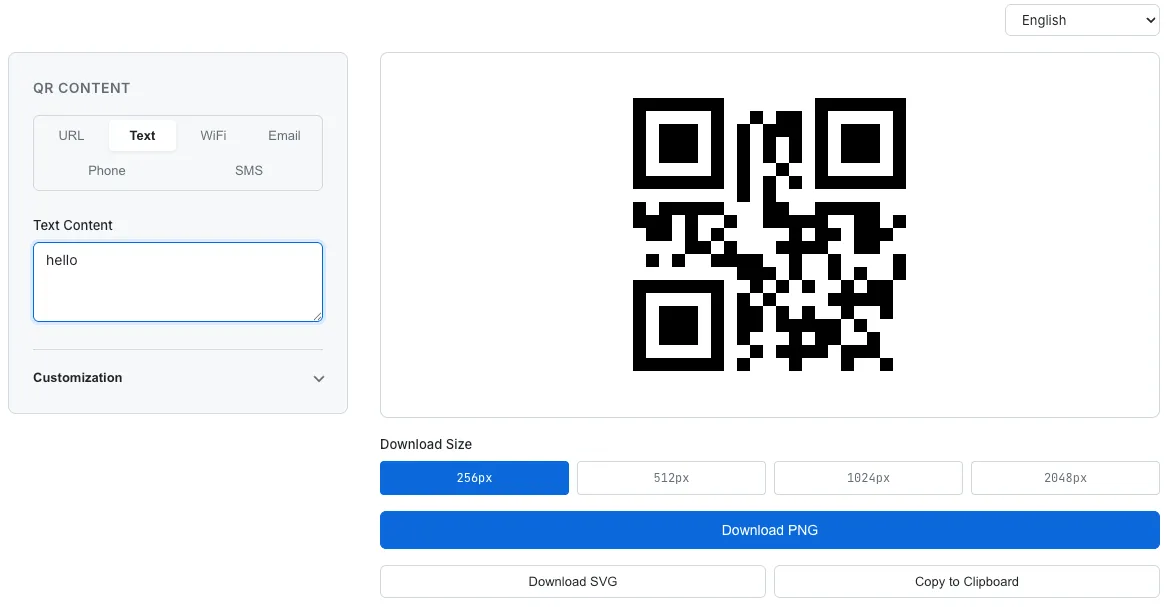
SudoTool's QR Code Generator — customize colors, dot styles, corner styles, and logos, then download in PNG or SVG format.
Frequently Asked Questions
What does QR stand for?
QR stands for "Quick Response." The name reflects the code's design goal of being read at high speed. It was created in 1994 by DENSO WAVE in Japan for tracking automotive parts.
How much data can a QR code hold?
At maximum capacity (Version 40, Level L error correction), a QR code can store 7,089 numeric characters, 4,296 alphanumeric characters, or 2,953 bytes of binary data. In practice, most QR codes store short URLs or text and never approach these limits.
Do QR codes expire?
Static QR codes never expire. The data is encoded directly into the code and will work permanently — no internet connection required. Dynamic QR codes depend on a redirect service, so they may stop working if that service is discontinued.
Can QR codes work without internet?
Yes, the scanning itself works offline — your camera and decoding software handle it locally. However, if the QR code contains a URL, you'll need an internet connection to open the linked web page. QR codes containing plain text or Wi-Fi credentials work entirely offline.
Can a QR code give you a virus?
A QR code itself cannot contain executable code, so it can't directly install malware. However, a QR code can link to a malicious website that attempts to download malware or steal your credentials. Always check the URL preview before opening any link from a QR code.
Why do QR codes have three squares in the corners?
These are Finder Patterns — position detection markers that let scanners instantly locate and orient the QR code from any angle. They use a unique 1:1:3:1:1 black-to-white ratio that doesn't appear anywhere else in printed materials, ensuring reliable detection.
What is the difference between a static and a dynamic QR code?
A static QR code encodes data directly — it's permanent, free, and works offline, but the content can't be changed. A dynamic QR code uses a redirect URL, so you can update the destination and track scan statistics, but it depends on an external service.
Are QR codes free to use?
Yes. DENSO WAVE holds the patent but chose not to charge licensing fees. Anyone can generate and use QR codes for free. Many free generators exist, including the SudoTool QR Code Generator.
Start Scanning Smarter Today
What started as a parts-tracking code in a Japanese car factory in 1994 has become a global infrastructure scanned billions of times. QR code payment transactions alone are projected to reach $8 trillion by 2029, and the EU is making QR-code-based digital product passports a legal requirement starting in 2027.
Now that you understand how QR codes work — from Finder Patterns and Reed-Solomon error correction to the difference between static and dynamic codes — you can do more than just scan. You can judge which QR codes are safe, create your own, and make informed decisions about a technology you interact with every day.
Ready to create your own QR code? Try SudoTool's free QR Code Generator — customize colors, styles, and logos, all processed locally in your browser.
Curious about how this tool was built? Read how we built the QR Code Generator with pure JavaScript — a behind-the-scenes look at the design decisions, library choices, and browser-based architecture.