Why I Built a JSON Formatter When Dozens Already Exist
The problem wasn't formatting JSON. It was trusting the tool you paste it into.
If you're a developer, you've used an online JSON formatter. You copy a minified API response, paste it into a website, click a button, and get readable output. It takes five seconds. You probably have one bookmarked right now. So why would anyone build another one?
Because in November 2025, security researchers discovered that two of the most popular JSON formatting sites — jsonformatter.org and codebeautify.org — had been leaking user data for years. Over 80,000 records were publicly exposed: API keys, database credentials, cloud secrets, payment gateway tokens, even SSH session recordings. Organizations affected included government agencies, banks, healthcare providers, and cybersecurity firms.
That changed how I thought about online JSON formatters entirely.
The JSON Formatter You Use Probably Has a Backend
Most people assume that when they paste JSON into an online formatter, the processing happens in their browser. It seems so simple — just add some whitespace and indentation. Why would a server need to be involved?
But many popular formatters do send your data to a server. Some do it for validation. Some do it for analytics. Some do it because they were built years ago when client-side processing was limited. And some store your input in a "recent pastes" feature that, as the 2025 breach proved, can be scraped by anyone.
When researchers planted a fake AWS key on one of these sites, attackers attempted to use it within 48 hours. The scraping was already happening at scale.
Think about what developers paste into JSON formatters every day: API responses containing user data, configuration files with secrets, authentication tokens, database query results. The tool that's supposed to help you read your data might be the same tool that exposes it.
What Else Is Wrong With Existing JSON Formatters
Security aside, the user experience of most JSON formatting sites hasn't improved in years.
Ads everywhere. Visit jsonformatter.org or codebeautify.org and count the ads. Leaderboard banners, sidebar blocks, in-content placements — four or five ad slots competing for attention on a page whose entire purpose is a text input and a button. The content jumps as ads load. Sometimes a full-page popup appears. You came to format 20 lines of JSON, not to close three overlays.
Tool fragmentation. Need to format? One site. Need to validate? Another site. Need to compare two JSONs? A third site. Need to convert to YAML? Yet another. Developers end up with six bookmarks for what should be a single tool. Each site switch means copying, pasting, and context switching.
Weak error messages. Paste invalid JSON and you get something like Expecting 'STRING'. What does that mean? Where exactly is the problem? Most formatters show a cryptic one-liner and leave you to figure it out.
No repair capability. JSON from real-world sources is messy. Trailing commas from JavaScript objects, single quotes instead of double quotes, unquoted keys, comments left in from config files. Most formatters just say "invalid" and stop. They won't help you fix it.
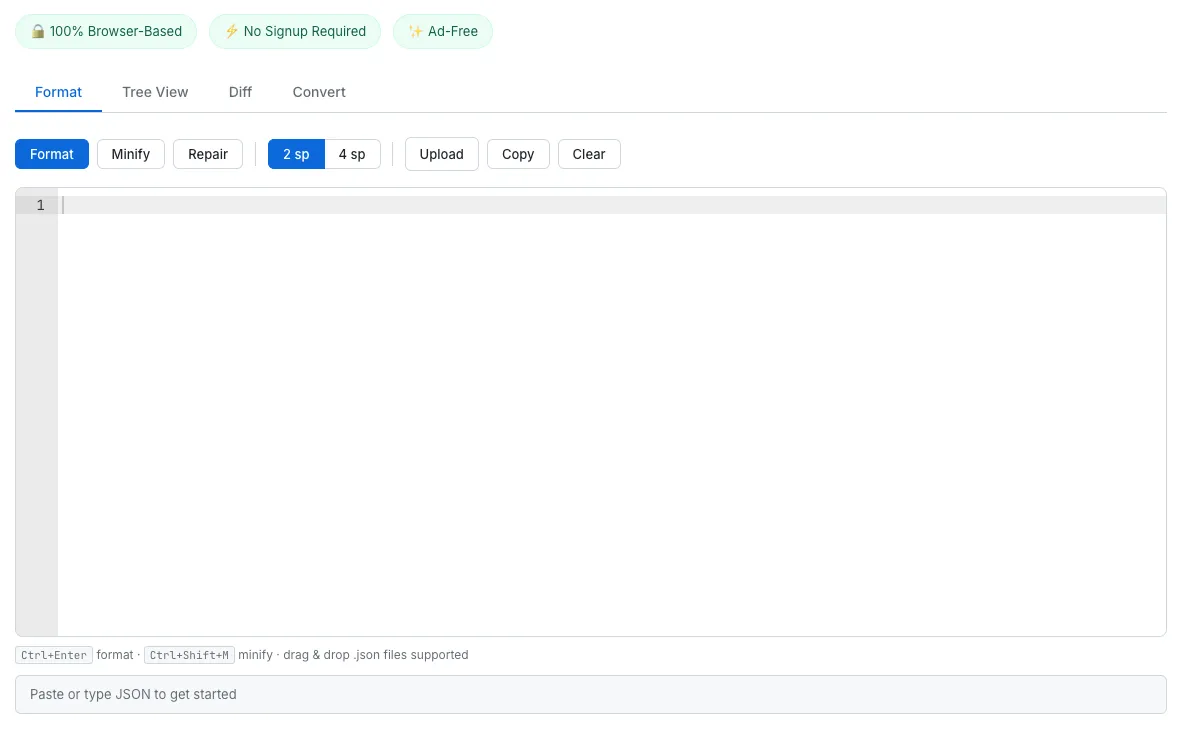
The JSON Formatter in Format mode — paste JSON, get instant formatting with validation and a clean, ad-free interface.
What I Built Instead
I built a JSON formatter that does everything in the browser. No server receives your data. No database stores your input. No "recent pastes" feature exists. The processing happens entirely in JavaScript on your device, and when you close the tab, your data is gone.
But I didn't stop at formatting. I combined the features that developers typically need six different tools for into four tabs in a single page:
Format tab. Paste JSON and it auto-formats instantly. Click Minify to compress it. Click Repair to automatically fix trailing commas, single quotes, unquoted keys, and JavaScript comments. Choose between 2-space and 4-space indentation. Upload a .json file or drag and drop it directly onto the editor. Keyboard shortcuts work too: Ctrl+Enter to format, Ctrl+Shift+M to minify.
Tree View tab. See your JSON as an interactive, collapsible tree. Every node is color-coded by type — blue for keys, green for strings, orange for booleans, gray for null. Object and array nodes show their item count and can be expanded or collapsed individually, or all at once with a single click.
Diff tab. Paste two JSON documents side by side and compare them structurally. The tool walks through every key at every level and reports exactly what was added, removed, or changed. The output uses color-coded indicators — green for additions, red for deletions, yellow for modifications — with the full JSON path for each difference. This is a structural comparison, not a text diff, so key ordering doesn't matter.
Convert tab. Transform your JSON into YAML or CSV with one click. YAML conversion preserves the full nested structure. CSV conversion flattens an array of objects into rows and columns, handling nested values by serializing them as JSON strings. Both formats can be copied to clipboard instantly.
Technical Choices
A few decisions shaped how this tool was built.
Ace Editor via CDN. SudoTool uses no build tools — every tool is plain HTML, CSS, and JavaScript. For the code editor, I chose Ace Editor, which can be loaded from a CDN with a single script tag. Ace provides syntax highlighting, line numbers, and proper JSON mode with validation out of the box. The same CDN pattern is used by the QR Code Generator, which loads its rendering library the same way.
Real-time validation. As you type, the editor validates your JSON in the background with a 400-millisecond debounce. The status bar at the bottom updates immediately — green for valid, red for invalid, with the exact error message and position. You never need to click a button to check if your JSON is correct.
Repair without guessing. The repair function applies a series of targeted regex transformations: stripping comments, replacing single quotes, quoting bare keys, removing trailing commas, and collapsing line breaks inside strings. If the result parses, it's formatted and shown. If not, the partially repaired text is left in the editor so you can see what still needs fixing.
Lazy initialization. The Diff and Convert tabs each require additional Ace Editor instances. These are only created when you first click the tab, not on page load. The YAML conversion library (js-yaml) is loaded from CDN but only executed when you open the Convert tab. This keeps the initial page load fast.
Structural diff, not text diff. The diff algorithm recursively walks both JSON trees and compares values at every path. It reports additions, deletions, and changes with their full path (like $.users[2].name). This means reordering keys in an object doesn't produce false positives — only actual value changes are reported.
Privacy as Architecture
Most online tools treat privacy as a policy — a page that says "we don't store your data." The problem is, you have no way to verify that. A privacy policy is a promise. Architecture is a guarantee.
When there is no server, there is nothing to hack. No database to breach. No "recent links" feature to scrape. No logs to subpoena. The tool works the same whether you're connected to the internet or not (once the page loads). This is the same approach behind every tool on SudoTool, from the Password Generator to the Image Compressor — your data stays on your machine because the tool is designed so it physically cannot leave.
After the 2025 breach, "your data never leaves your browser" isn't just a nice feature. For anyone working with sensitive JSON — which is almost every developer — it should be the default.
Try It
Paste a minified API response and watch it format instantly. Switch to Tree View to explore the structure. Open the Diff tab to compare two versions of a config file. Convert your JSON to YAML for a Kubernetes manifest. Do all of it without your data ever leaving your browser.
If you work with JSON daily, bookmark it and try it for a week. No ads, no signup, no server. Just paste and go.